



Every sysadmin knows the feeling. You log onto a server at 2:00 AM, open a massive log file, and start scrolling. Grep is great. Enterprise tools like Splunk or ELK are incredibly powerful. But sometimes, you just want to point an AI at a messy block of text and say, „Tell me what’s broken and how to fix it.“
Working with enterprise clients here in Germany, data privacy isn’t just a preference; it’s the law. Uploading raw server logs—which often contain internal IP addresses, usernames, or sensitive system state data—to a public cloud LLM API is usually a non-starter.
If you followed my recent guide on running Phi-3.5 offline with Foundry Local, you know how powerful local Small Language Models (SLMs) have become. Today, we’re taking that a step further.
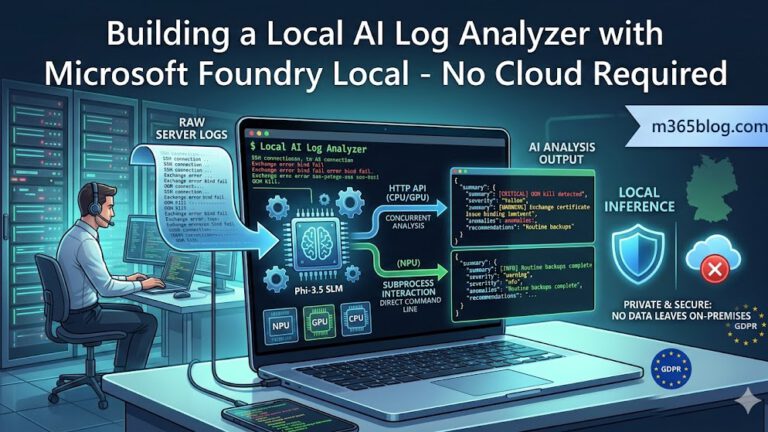
I’ve built a local, AI-powered log analyzer that takes raw logs, feeds them to an SLM running on-device, and outputs beautifully formatted, structured JSON insights. Best of all? It dynamically handles inference on your CPU, GPU, or even your NPU (Neural Processing Unit).
The Problem: The NPU API Gap
Microsoft Foundry Local makes local AI inference surprisingly accessible. For CPU and GPU execution, the foundry-local-sdk exposes an elegant, OpenAI-compatible HTTP API on localhost. You just point your Python script at it and start sending requests.
But modern laptops ship with powerful NPUs designed specifically to accelerate AI workloads while sipping battery. There’s just one catch: Currently, NPU-optimized models in Foundry Local don’t support the HTTP API. They only operate in an interactive CLI mode via the foundry model run command.
This limitation meant I had to choose: give up on NPU acceleration and burn CPU cycles, or engineer a creative workaround to talk to an interactive CLI programmatically.
The Solution: A Dual-Mode Architecture
To make the tool robust and hardware-agnostic, I designed a dual-mode architecture. The script automatically determines the best way to talk to the model based on your hardware.
graph TD
    A[Raw Log File] --> B[Batch Processor]
    B --> C{Auto-Detect Backend}
    C -->|CPU / GPU| D[HTTP Backend]
    C -->|NPU| E[Subprocess Backend]

    D -->|Localhost API| F((Phi-3.5 / Qwen))
    E -->|stdin / stdout Pipes| F

    F --> G[Regex JSON Extractor]
G --> H[Rich Terminal UI / JSON Export]1. The HTTP Backend (CPU/GPU)
This is the intended path. It speaks standard HTTP and supports multi-threaded parallel batch processing. If you have a dedicated GPU and a massive log file, you can chunk the file and process multiple batches simultaneously.
2. The Subprocess Backend (NPU)
For NPU models, the script spawns the Foundry Local CLI as a child process. It communicates with the AI by writing directly to stdin and reading the responses from stdout via Inter-Process Communication (IPC). It is strictly single-threaded but allows us to leverage the NPU efficiently.
Taming the Subprocess Backend
Reading from an interactive CLI process using Python is finicky. Unlike an HTTP response, there is no clear end-of-message delimiter. How do you know when the AI is done typing?
Instead of relying on perfect output, the script uses a background thread to continuously read the process output into a buffer. It then looks for specific completion markers, like the interactive prompt characters returning:
# Simplified completion check
if response_buffer.endswith("> ") or response_buffer.endswith(">>> "):
break # The AI has finished its responseStructured Prompting: Forcing SLMs to Output JSON
Small Language Models (1.5B to 3.5B parameters) are notoriously bad at following strict formatting instructions. Without constraints, they will ramble or give you conversational filler („Sure, I can help with that!“).
Since our goal is to pipe this data into other IT systems, we need strict JSON. Here is the system prompt that proved most reliable:
You are an expert IT log analyzer.
Analyze the following log lines.
Respond ONLY with a valid JSON object in this exact format:
{„summary“: „…“, „severity“: „INFO|WARNING|CRITICAL“, „anomalies“: [„…“], „recommendations“: [„…“]}
Do not output any markdown formatting, explanations, or conversational text.
Even with this prompt, the model might wrap the output in Markdown code blocks. To handle this, a quick regex parser extracts the JSON payload from whatever noisy string the model spits out:
# Extract JSON from potentially noisy model output
match = re.search(r'\{.*\}', raw_output, re.DOTALL)The Results: Bringing Order to Chaos
To test this, I fed the tool a realistic mix of server logs: SSH brute-force attempts, Exchange certificate renewal errors, standard daily backup failures, and Linux OOM (Out of Memory) kills.
I used the rich Python library for a color-coded, highly readable terminal output.
- Red (CRITICAL): The model instantly flagged the OOM kills and recommended increasing swap space.
- Yellow (WARNING): It caught the Exchange certificate warnings, noting that a bind failure was imminent.
- Green (INFO): Routine cron jobs were quietly summarized.
(Side note: If you want to move beyond the terminal and build a proper graphical interface for tools like this, check out my guide on Building a Custom UI for Foundry Local.)
On my NPU, processing a 15-line batch takes about 10-15 seconds. On a dedicated GPU, it’s near-instantaneous. The tool outputs a master analysis.json file that can be ingested right into a dashboard or an ITSM ticketing system.
Lessons Learned
Building this tool taught me a few hard truths about the current state of on-device AI for system administration:
- NPU models are fast but currently limited. The lack of HTTP API support in Foundry Local is a pain point, but bridging it with a Python subprocess is a highly effective workaround.
- SLMs need aggressive prompting. You cannot treat a 3.5B model like an enterprise LLM. If you want JSON, demand JSON, and use regex to enforce it.
- Subprocess IPC is fragile. Never assume the interactive CLI will output cleanly. Plan for crashes and implement retry logic.
- Periodic restarts are a feature. For long-running local inference, clearing out the context window by restarting the process yields much faster and more accurate results than letting state accumulate.
Get the Code
Microsoft AI Foundry and Foundry Local have made on-device AI a legitimate tool for the IT pro’s arsenal. This specific pattern—structured prompting, aggressive JSON parsing, and fault-tolerant batch processing—applies to far more than just log analysis. You could adapt it to audit configuration files, triage helpdesk tickets, or scan compliance reports.
I’ve made the complete, ready-to-run tool open source. You can grab the code, tweak the prompts, and test it on your own hardware here:
erik8989/FoundryLocal_LogAnalyzer
Try feeding it your messiest Exchange logs and see what it finds!